

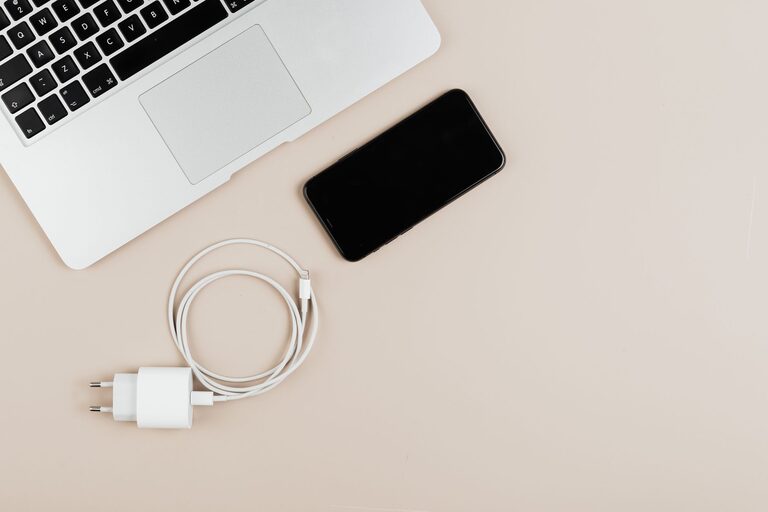
Cables and chargers have a way of spreading across desks, drawers, nightstands, and kitchen counters. When several cords look alike, it can be difficult to find the right one, and tangled cables take extra time to separate.
The good news is that cable organization does not require expensive equipment or a complete room makeover. With a simple system for sorting, labeling, storing, and maintaining your cords, you can keep chargers accessible and your spaces tidy.
Start With a Complete Cable Inventory
Before buying organizers, gather all your cables and chargers in one place. Check desks, drawers, bags, shelves, and storage boxes. Include power cords, USB cables, adapters, extension cords, earbuds, and cables that are connected to devices.
Place everything on a clear surface and separate the items into groups:
– Phone and tablet chargers
– Computer and monitor cables
– Audio and video cables
– Camera and gaming cables
– Extension cords and power strips
– Spare or rarely used cables
– Cables that no longer match any device
This process helps you understand what you already have. It also prevents you from buying duplicates simply because an existing cable was difficult to find.
Test Unfamiliar Cables
If you are unsure what a cable does, inspect both ends and compare them with your devices. You may also be able to identify the cable by its shape, connector size, or markings.
Set aside cables that are frayed, bent near the connector, or showing exposed wires. Do not continue using damaged cords. If you cannot identify a cable and have no practical use for it, place it in an appropriate electronics recycling collection rather than keeping it indefinitely.
Reduce the Number of Cables You Keep
A tidy cable collection starts with fewer unnecessary items. After sorting, decide which cables you use regularly, which ones are useful backups, and which ones can leave your home.
A helpful rule is to keep:
– One active cable for each frequently used device
– One spare for important devices
– Specialized cables only when you still own the matching equipment
– A small travel set for work, school, or trips
Avoid keeping every cable “just in case.” If you have several identical cables, select the best-condition versions and recycle or donate the extras when possible.
Create a small “review later” box for items you are uncertain about. Write a date on the box and revisit it after a few months. If you have not needed anything inside, you may be ready to let it go.
Label Cables Clearly
Many cables look almost identical, especially black USB and power cables. Labels make them easier to identify without testing each one.
You can use:
– Cable tags
– Small adhesive labels
– Colored tape
– Heat-shrink labels
– Reusable hook-and-loop ties with a writing area
Label both ends of longer cables so you can identify them even when one end is hidden behind a desk. Use simple descriptions such as “monitor,” “printer,” “tablet,” or “travel charger.”
For charging cables, include the connector type if helpful. A label such as “USB C” or “micro USB” can save time when you are searching through a drawer.
Use a consistent color system if several people share the same space. For example, one color can represent office equipment, another can represent travel items, and a third can represent entertainment devices.
Use the Right Storage Method
Different cables need different storage solutions. The goal is to prevent tangles while keeping commonly used cords easy to reach.
For Frequently Used Cables
Keep everyday chargers close to the devices they power. A small tray on a desk or nightstand can hold active charging cables. Cable clips can guide cords along the edge of a desk and stop them from sliding to the floor.
Avoid wrapping a cable tightly around its charging block. Instead, use a loose loop and secure it with a reusable cable tie. Tight bends can place stress on the cable, especially near the connector.
For Spare Cables
Store spare cords in a drawer, box, or organizer with separate compartments. Small fabric pouches, pencil cases, and reusable containers can work well.
Use one compartment or pouch for each category, such as:
– Phone and tablet accessories
– Computer cables
– Audio and video cords
– Camera accessories
– Travel chargers
Keep each cable loosely coiled and secured. Do not place heavy items on top of delicate cords, and avoid packing different cables into one tight bundle.
For Travel Cables
Create a ready-to-go travel kit instead of collecting cords each time you leave home. A compact pouch can hold a charging block, cable, power bank cable, and any needed adapters.
Choose a pouch with small pockets or elastic loops so each item has a defined place. When you return, put everything back immediately. This keeps the travel kit prepared and reduces the chance of leaving a charger behind.
Manage Cables at Your Desk
A desk can become cluttered quickly because several devices may share one power source. Start by deciding where each device belongs, then route cables from the power source to those locations.
Helpful desk solutions include:
– Adhesive cable clips
– Under-desk cable trays
– Cable sleeves
– Reusable hook-and-loop straps
– A cable box for hiding excess length
– Labels for cords connected to power strips
Keep extra cable length organized rather than allowing it to hang in loops beneath the desk. Coil the excess loosely and secure it with a tie. Leave enough slack to move the device without pulling on the connector.
If a power strip is on the floor, place it where it is easy to reach and unlikely to be stepped on. Do not cover power strips with fabric or place them where they may become wet.
Organize a Charging Station
A dedicated charging station gives phones, tablets, and other devices a consistent home. It can be as simple as a tray near an outlet or a shelf with a multi-port charger.
Choose a location that is:
– Easy to reach
– Close to a power outlet
– Away from water and heat
– Large enough for the devices you charge
– Clear of loose items that could cover chargers
Use short cables when possible. They create less clutter and are easier to manage than long cords. If several cables are connected to the same charger, label them or use different colors to make them easier to distinguish.
Avoid overloading outlets or power strips. Use suitable chargers and cords, and replace items that show visible damage.
Create a Simple Maintenance Routine
Cable organization works best when it becomes a regular habit. Once a month, take a few minutes to return loose cords to their assigned locations. Remove cables from drawers that no longer serve a purpose and check for damage.
When you buy a new device, decide where its charger will be stored before opening another drawer. When you replace a device, review its accessories at the same time.
A quick reset routine can include:
- Unplug cables that are no longer in use.
- Coil active cords loosely.
- Return spare cables to labeled storage.
- Remove damaged or unidentified items.
- Wipe dust from charging areas and cable organizers.
Keep the System Simple
The best organization system is one you can maintain without extra effort. Use storage that fits your space, label only what needs labeling, and keep the most-used items within easy reach.
You do not need to hide every cable completely. A few well-routed cords are more practical than a complicated setup that is difficult to access. Once every cable has a clear purpose and a designated home, charging becomes faster, drawers become easier to use, and your workspace feels noticeably calmer.